
 Forum
Forum
 Użytkownicy
 Kalendarz
 Dodatki SourceMod





Light Manager
Description
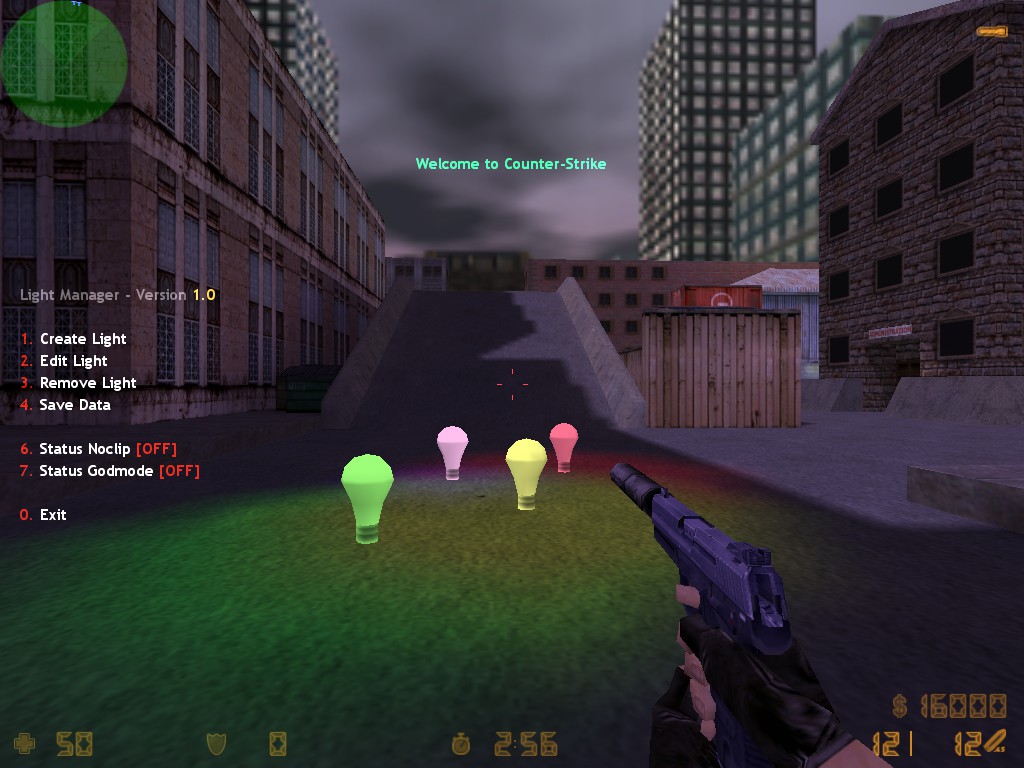
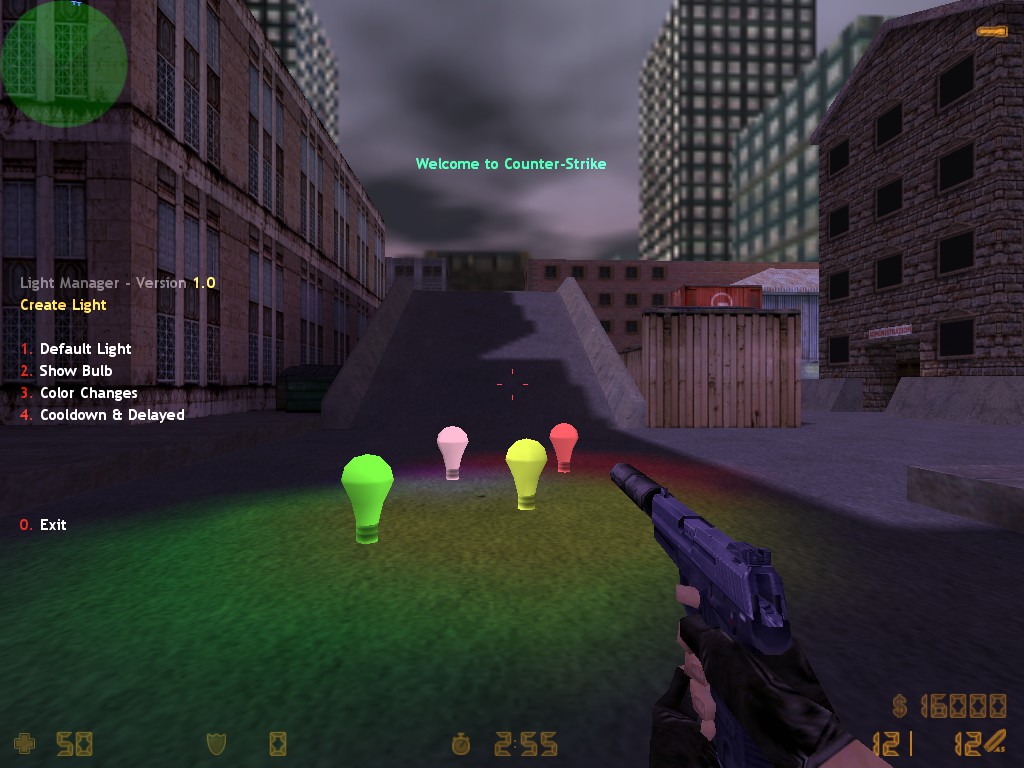
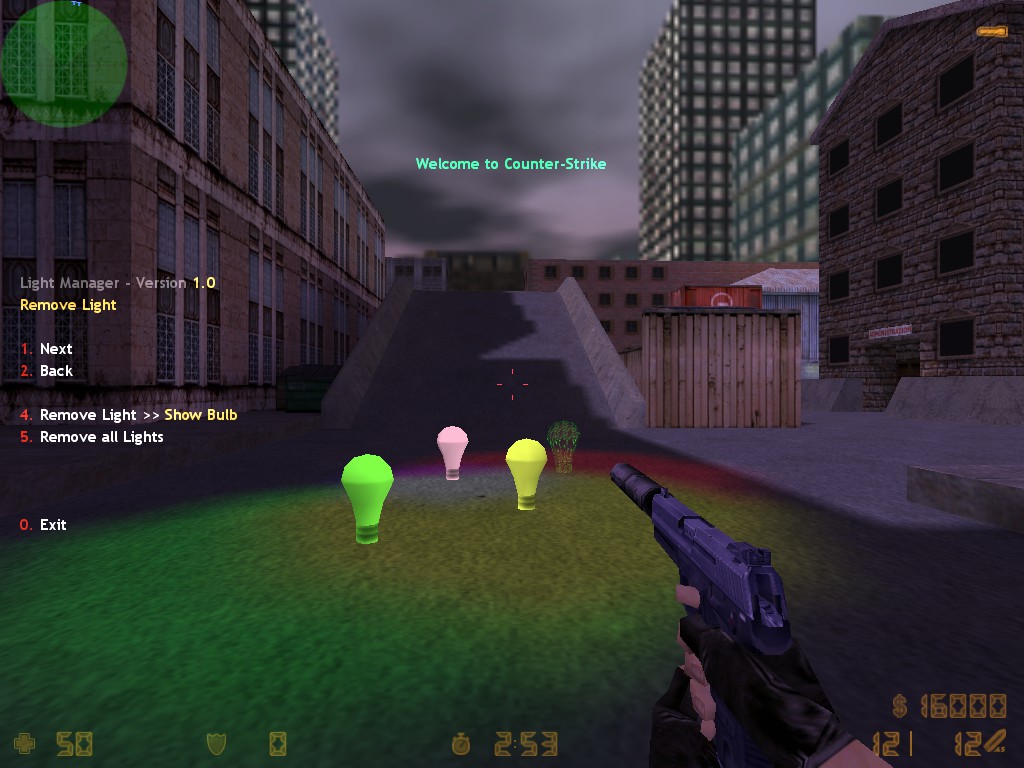
This plugin adds a fully dynamic light management system to Counter-Strike 1.6.
Lights can be placed, managed and configured during gameplay with runtime control over appearance, activation states, colors and placement.
Commands
Configuration
# Main settings:

# SETTING_DEFAULT_MODEL          = Default model used when no model is specified
# SETTING_DEFAULT_FLAGS          = Default flags applied to new lights
# SETTING_DEFAULT_SPAWN_CHANCE   = Default light respawn probability (0.0 - 1.0)
# SETTING_DEFAULT_ACTIVE_DELAY   = Minimum and maximum activation delay after round start
# SETTING_DEFAULT_ACTIVE_DURATION = Minimum and maximum active state duration
# SETTING_DEFAULT_ACTIVE_COOLDOWN = Minimum and maximum cooldown before reactivation
# SETTING_DEFAULT_COLOR_FREQUENCY = Minimum and maximum interval between random color changes
# SETTING_LIGHT_LOAD              = Whether saved lights are loaded for the current map
# SETTING_LIGHT_CHECK             = Maximum distance for selecting nearby lights
# SETTING_LIGHT_TASK              = Interval used to update light effects
# SETTING_OFFSET_BASE             = Default forward offset for light placement preview
# SETTING_OFFSET                  = Minimum and maximum placement distance from the player
# SETTING_OFFSET_STEP             = Distance changed when moving the preview forward or backward
# SETTING_GHOST_ALPHA             = Transparency of the ghost preview model (0 - 255)
# SETTING_ROTATION_STEP           = Rotation amount applied when rotating the preview
# SETTING_LIGHT_LIFE              = Lifetime of the dynamic light effect
# SETTING_SOUND_MENU_NAV           = Menu navigation sound
# SETTING_SOUND_MENU_REMOVE        = Light removal sound
# SETTING_SOUND_MENU_ALERT         = Menu alert sound
# SETTING_COLOR_ACTIVE             = Color used to indicate an active light
# SETTING_COLOR_INACTIVE           = Color used to indicate an inactive light

# Per-light settings (defined under each [Light Name] section):

# LIGHT_MODEL              = Path to the model used by the light
# LIGHT_FLAGS              = a - Show Model, b - Active Delay, c - Active Duration, d - Color Random
# LIGHT_SPAWN_CHANCE       = Light's respawn probability (0.0 - 1.0)
# LIGHT_ACTIVE_DELAY       = Delay in seconds before the light becomes active
# LIGHT_ACTIVE_DURATION    = Duration of the active state in seconds
# LIGHT_ACTIVE_COOLDOWN    = Cooldown in seconds before the light becomes active again
# LIGHT_COLOR_FREQUENCY    = Minimum and maximum interval between random color changes

# To make a light available in the menu, define its name as a [Light Name] section.
# LIGHT_MODEL and other light properties cannot be changed dynamically during gameplay.
Changelog
* v1.0: Initial release.
Download